
Write better, faster, and stay in control.
SmartWrite helps you fix grammar, rewrite text clearly, and adjust tone without bloated UI or confusing workflows. Use the popup for quick edits, or launch Live Assist on the current page when you want help right where you write.
Built for real writing, not clutter.
SmartWrite keeps the same visual language as the extension popup: clean cards, tight spacing, strong hierarchy, and a premium but simple feel.
Fix grammar fast
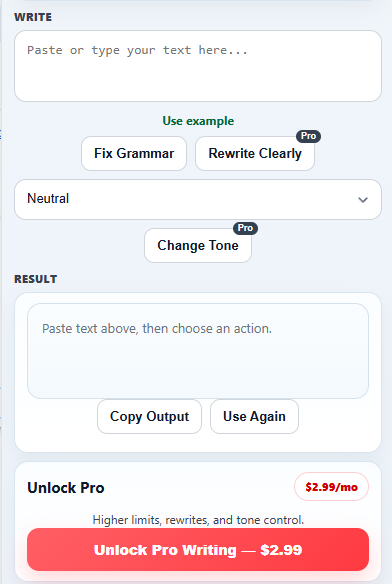
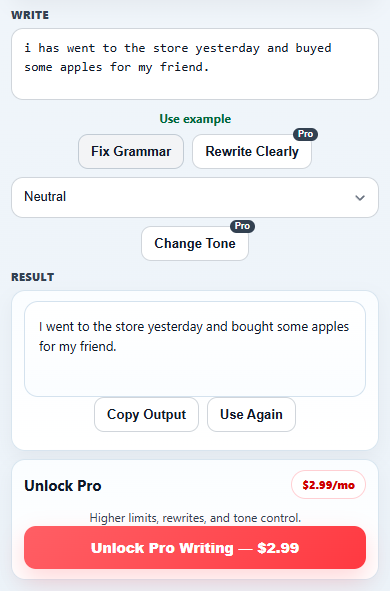
Clean up spelling, grammar, punctuation, and awkward phrasing in one click.
Rewrite clearly
Turn rough drafts into smoother, more natural writing while keeping the original meaning.
Change tone
Adjust your writing for professional, friendly, casual, persuasive, or concise situations.
How SmartWrite works
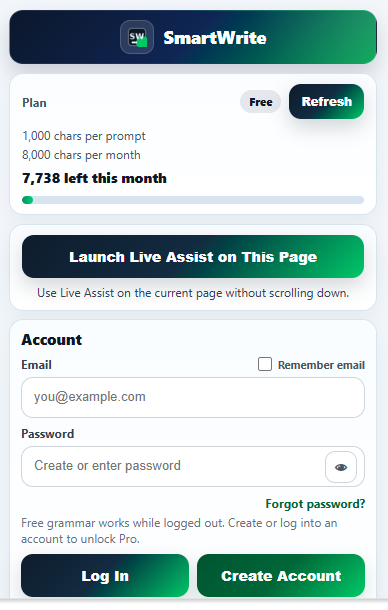
- Open the extension popup for fast edits and account access.
- Use free grammar help immediately.
- Launch Live Assist on the current page when you want in-page writing help.
- Create an account or log in to unlock the full account flow.
- Use rewrite and tone tools when you want cleaner, more polished writing.
Why this release feels safer
Simple pricing
Start free, then move up when you want rewrite and tone tools with higher usage limits.
Free
- Grammar help
- Popup access
- Live Assist on supported fields
- 1,000 chars per prompt
- 8,000 chars per month
Pro
- Everything in Free
- Rewrite Clearly
- Change Tone
- Higher limits
- Faster path to polished writing
Billing and account access are managed through SmartWrite’s account flow.
Download SmartWrite
Install SmartWrite where it is available today, and keep an eye on what is coming next.
Microsoft Edge
Edge support is planned for a future release.
Does SmartWrite run everywhere automatically?
No. In this release, Live Assist is launched by the user on the current page.
Where can I get SmartWrite today?
Use the Download section above for the current release, and watch for future platform support.